In this article:
- How We Evaluated These Apps
- 1. Renew Photo
- 2. ImageColorizer
- 3. VanceAI Photo Restorer
- 4. Nero AI Photo Restoration
- 5. YouCam Enhance
- How to Choose the Right App
- Conclusion
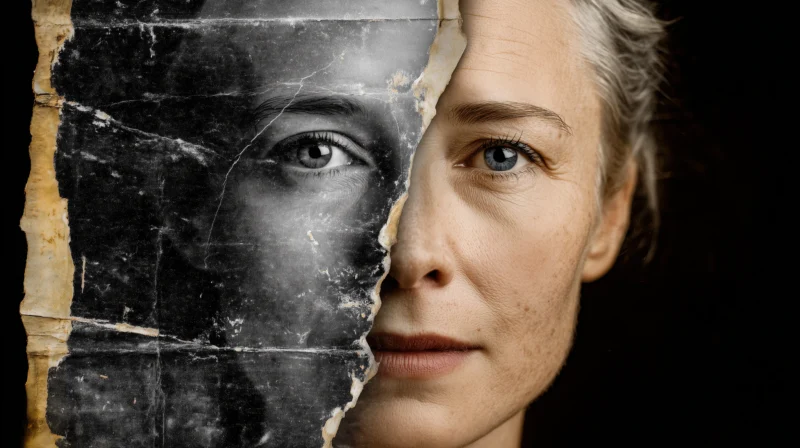
Family archives are more than collections of images. They’re physical connections to personal history, a visual lineage that grounds us. These fragile artifacts face constant threats from time itself. Natural decay introduces fading, yellowing, and physical damage like scratches and tears that degrade the original image.
The desire to preserve this heritage has never been stronger. Fortunately, the technical barrier for professional-grade restoration has completely collapsed. You no longer need advanced Photoshop skills or expensive software to salvage your memories. Modern applications handle the complex algorithmic work instantly.
How We Evaluated These Apps
We put these tools through a rigorous testing process focused entirely on real-world performance. Our methodology was brutally straightforward. Can it make a damaged photo look authentically restored without artificial smoothing? Does it handle facial features with care, enhancing them without creating a plastic, unreal effect? Is colorization an available option, and does it produce believable, period-appropriate tones? Speed and interface design were critical. We prioritized workflows that feel intuitive from the first use, eliminating frustrating learning curves that stop projects cold.
Our evaluation rested on four key pillars:
- Realistic damage repair: effective removal of scratches, stains, and folds without losing detail.
- Natural face enhancement: sharpening and clarifying facial features without a “plastic” look.
- Optional colorization: the ability to add realistic color to black and white originals.
- Fast processing and simple workflow: quick results from an interface anyone can navigate.
These points kept the testing grounded. No theory, no lab conditions. Just real photos, real flaws, and real expectations.
1. Renew Photo
Renew Photo is among the best restoration apps, as it delivers a finished product that looks professionally restored without demanding any technical skill from the user. The application manages the entire process automatically, from initial upload to final save. It’s the closest thing to magic in this category.
Its operational strengths are immediately apparent:

Get 300+ Fonts for FREE
Enter your email to download our 100% free "Font Lover's Bundle". For commercial & personal use. No royalties. No fees. No attribution. 100% free to use anywhere.
- Repairs scratches, stains, folds;
- Enhances faces and clarity;
- Adds color if needed;
- One-tap interface (iOS/Android).
For a straightforward solution that just works, we suggest starting with Renew Photo. It intelligently analyzes each image, applying a tailored combination of repair and colorization techniques. The one-tap interface on iOS and Android makes the entire process feel effortless. You get a revived, clear photograph that respects its historical origins while being visually stunning for modern display.
2. ImageColorizer
This tool is for people who need a result right now, without any software installation. ImageColorizer operates entirely within your web browser. Its main function is a dual enhancement, both colorizing black and white photos and improving their overall sharpness and resolution. The convenience factor is massive. You can drag and drop a file and get a result in minutes.
The color output, while vibrant, can sometimes miss the historical mark. Tones might appear a bit too saturated, making an old photo look like it was taken recently with a modern filter. It’s a trade-off. You gain incredible speed and accessibility, but may sacrifice a touch of archival authenticity.
3. VanceAI Photo Restorer
When your project scales beyond a single picture, VanceAI becomes the obvious choice. This platform is built for volume and control, catering to users with extensive archives or very specific quality demands. It supports batch processing, allowing you to restore dozens of photos in a single queue. A dedicated desktop version is available for this kind of heavy lifting.
Key features that define its power-user status:
- Supports batch-processing;
- Includes a desktop version;
- Offers wider manual settings.
The interface provides deeper manual controls for fine-tuning. You can adjust parameters that other apps handle automatically. This means a steeper initial learning curve. The payoff is absolute command over the restoration process, which is invaluable for complex projects or severely damaged originals.
4. Nero AI Photo Restoration
Sometimes you just need a quick fix, not a professional overhaul. Nero AI is the definition of a minimalist tool. It’s designed for a single action: upload a photo, click once, and receive an enhanced version. The process removes basic flaws like minor scratches and improves color balance. There are virtually no settings to configure.
This simplicity is its greatest asset and its primary limitation. It works wonderfully for photos that are only lightly damaged, maybe a bit faded or with small scratches. For images with major tears, heavy staining, or complex damage, it simply doesn’t have the underlying power to perform a complete reconstruction.
5. YouCam Enhance
This app carves out a specific niche, focusing on general photo quality enhancement rather than deep, archival restoration. It excels at making any picture, especially recent smartphone photos, sharper, clearer, and more vibrant. Its repair functions are geared toward common issues like blurriness and digital noise.
We think it’s fantastic for giving a quick polish to old photos that are already in decent shape. It’s less oriented toward the meticulous repair of severe historical damage. The tool is perfect for someone who wants their family pictures to look great on a digital screen with minimal effort.
How to Choose the Right App
Your selection should be a direct response to the specific photos you need to restore. The best tool is the one that matches your exact scenario. Don’t buy a power tool for a simple glue job. Ask a few direct questions about your project first.
The decision matrix breaks down like this:
- Level of photo damage: is it lightly faded or heavily torn?
- Need for colorization: do you want color or just a cleaner monochrome?
- Single photo or large archive: are you restoring one portrait or a whole album?
- Mobile or computer workflow: do you work from your phone or a desktop?
The answers create a clear path. A single, moderately damaged photo for your phone points to one app. A large archive of severely damaged originals for a desktop project points to another. Match the tool to the task.
Conclusion
Different restoration jobs demand different solutions. For the vast majority of users, Renew Photo provides the most reliable and accessible path to a beautiful result. It balances automated power with a dead-simple interface. The other apps each serve a vital purpose, from the batch power of VanceAI to the quick polish of YouCam Enhance.
These tools collectively mean that no family memory is beyond saving. The technology is here, it’s mature, and it’s incredibly easy to use. Your family archive is waiting for its second life.