

In this article:
Online presence has become irresistible. You have to resort to this entity for one reason or the other. It has taken freelancing to new heights by increasing the avenues, thereby leading to increasing opportunities. However, most freelance designers take it casually and commit several mistakes, some of them of a serious nature. What are these security mistakes? Here are some of the common online mistakes freelance designers make.
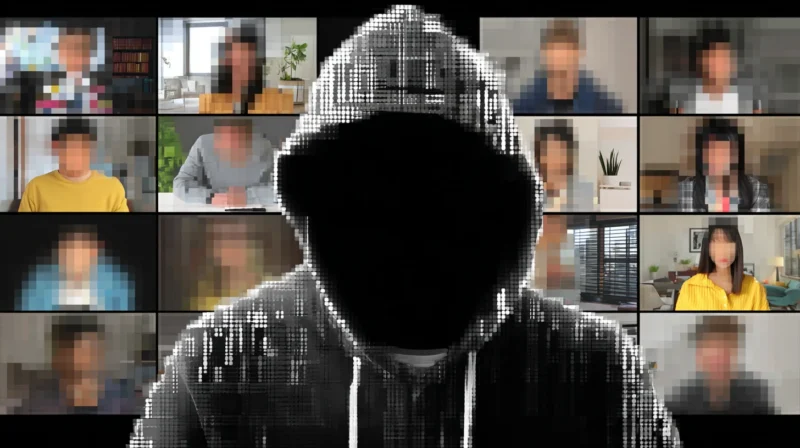
The online space is full of security risks. The moment you concede a space, there are scammers ready to grab the opportunities. This can have huge implications for your privacy and can lead to the theft of your private information and important data. You have to be extra careful and take extra precautions while managing your accounts.
Common Online Mistakes Freelance Designers Make
A freelancer tries different ways to attract clients. However, there are several online mistakes a freelance designer makes. They can at times prove fatal. Here are some of the common mistakes listed:
Access Mistakes
The password and the access are the first mistakes. Most freelancers take this step casually. Using a simple, personal, same password that is easily guessable is a huge risk.
When you don’t enable the two-factor authentication security feature, you add an easy entry point for hackers. The scammers exploit this weakness.
Besides, when you provide admin access to many people, or when you fail to revoke access for former collaborators is a common security mistake that freelance designers make.
Phishing & Social Engineering
Many freelancers fall prey to phishing attempts by clicking the fake links. Hackers very often send fake emails to trick designers into downloading malware or end up providing their login information. Scammers pose as clients to get free work or steal data. Many freelancers also ignore the red flags and rush into projects and ask for free work. Besides, using a suspicious payment method is also a common mistake that many freelancers commit.
Software Issues
There are several software issues that are ignored by many. Several among them still use the outdated software, which gives rise to a number of security bugs and patches. Not updating the operating system creates security holes.

Get 300+ Fonts for FREE
Enter your email to download our 100% free "Font Lover's Bundle". For commercial & personal use. No royalties. No fees. No attribution. 100% free to use anywhere.
Data backup is an important aspect that you can’t ignore. Neglecting a data backup adds to work vulnerability. Your data is vulnerable to loss or ransomware. Besides, many freelancers send sensitive client info and design files in unencrypted data.
What are the Best Cybersecurity Practices for a Freelancer?
Now, the question is how to do away with the possible security risks that freelancers encounter. What are the steps you must resort to as a freelancer to ensure the safety and security of data? Here are the best cybersecurity practices for a freelancer:
Password and Access
Managing your account is the first prerequisite that you must take seriously. Make sure you use a strong and unique password. The password should not be easily guessable. Stop using the same and repeated passwords. Besides, you must enable two-factor authentication features. It adds an extra layer of security to your account. You have to refrain from sharing your credentials with too many people. Revoke the access from the former collaborators.
Use VPN
At times, you tend to use public Wi Fi for sensitive tasks, which you should avoid in the first place. However, if you still need to, you can use a VPN that creates a secure and encrypted connection over the internet. It hides your IP address and protects your online activity from snooping by your ISP, advertisers, or hackers, especially on public Wi-Fi. There are many such VPNs available, but you can opt for the CyberGhost VPN for Chrome. This is the best VPN Chrome extension for your online privacy, known for reliability and credibility.
Verify Everything
You must verify everything. Make sure you double-check senders and scan shared files. There are certain tools available that scan your files before opening. In addition to this, you must use an encrypted platform for client communication. Make sure you update your operating system to the latest version available. This will automatically do away with the possible minor security hole or glitch. Running on the outdated OS is not recommended.
Educate Yourself
This is one of the most crucial practices. You must educate yourself and keep a vigilant eye on the happenings. You must stay updated on common scams to recognize them. Being aware of changing trends will help you adapt to shifting needs and requirements, as well as tackle the problems you face.
Conclusion
There is no denying the fact that mistakes do happen. Some mistakes cause irreparable losses. As a freelance designer, you commit certain online security mistakes that can have huge implications on your work, security, and privacy. Having said so, you can prevent these mistakes by following the cybersecurity practices. In this article, I have explained in detail. You can go through the article to know more about it.
